

Free
0 TL
Get to know ParkWiser and your first recommendations.
- Natural-language parking search
- Save personal preferences
- Map and car park details
- Match and confidence indicators
Purchased and used in the mobile app
ParkWiser · Introduction film
Video in Turkish, with Turkish subtitles · 1 min
Start the 3D tourAfter the video, scroll down to explore ParkWiser step by step in 3D.
ParkWiser · An ArcMotus product
ParkWiser is an AI-powered parking assistant that understands where you're going and what matters to you. For parking operators, it brings areas, capacity and reservations together in one panel.
Driver01 / 08
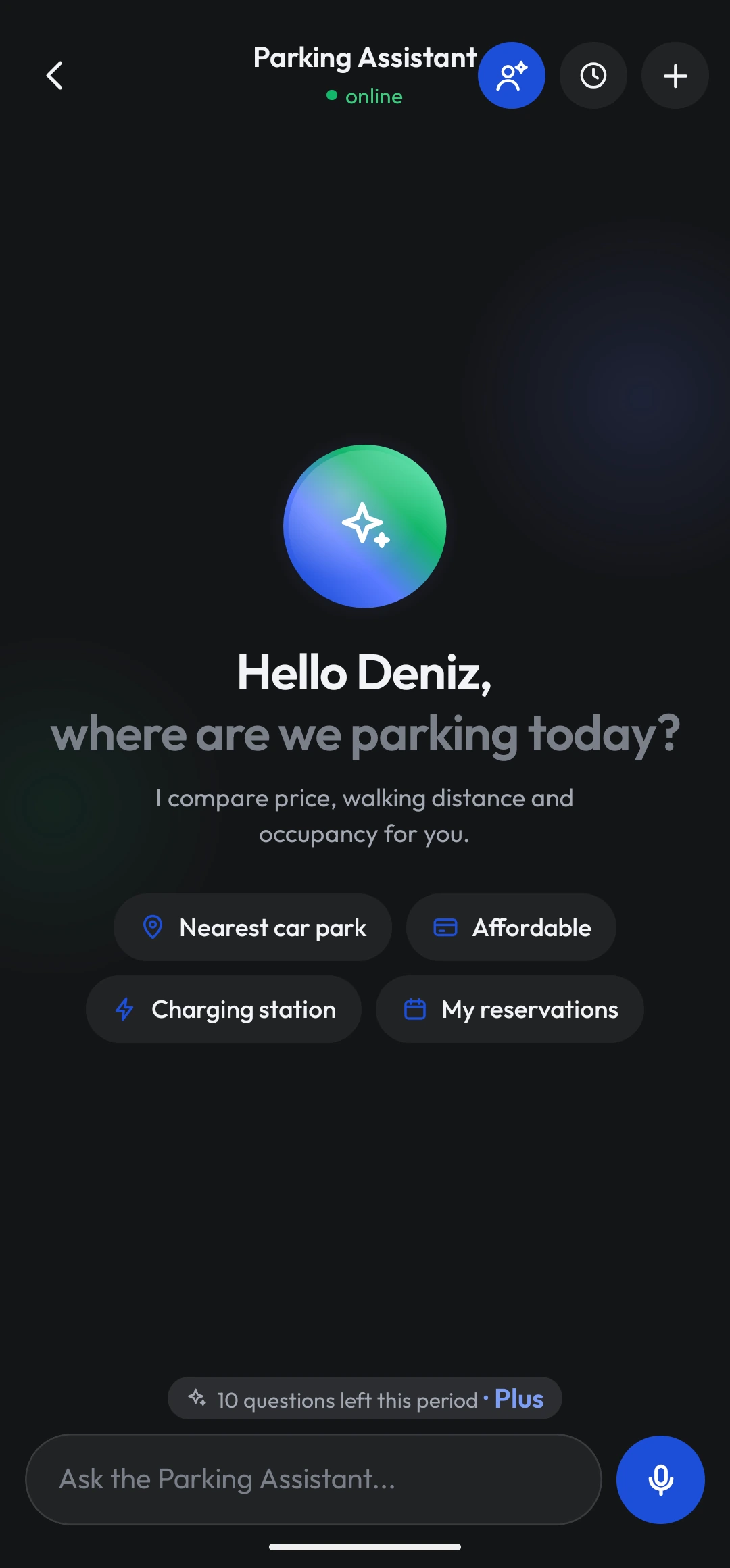
Type where you're going and what matters to you; the Parking Assistant weighs price, walking distance and occupancy for you. Shortcuts for the nearest car park, a good price or charging are one tap away.
Driver02 / 08
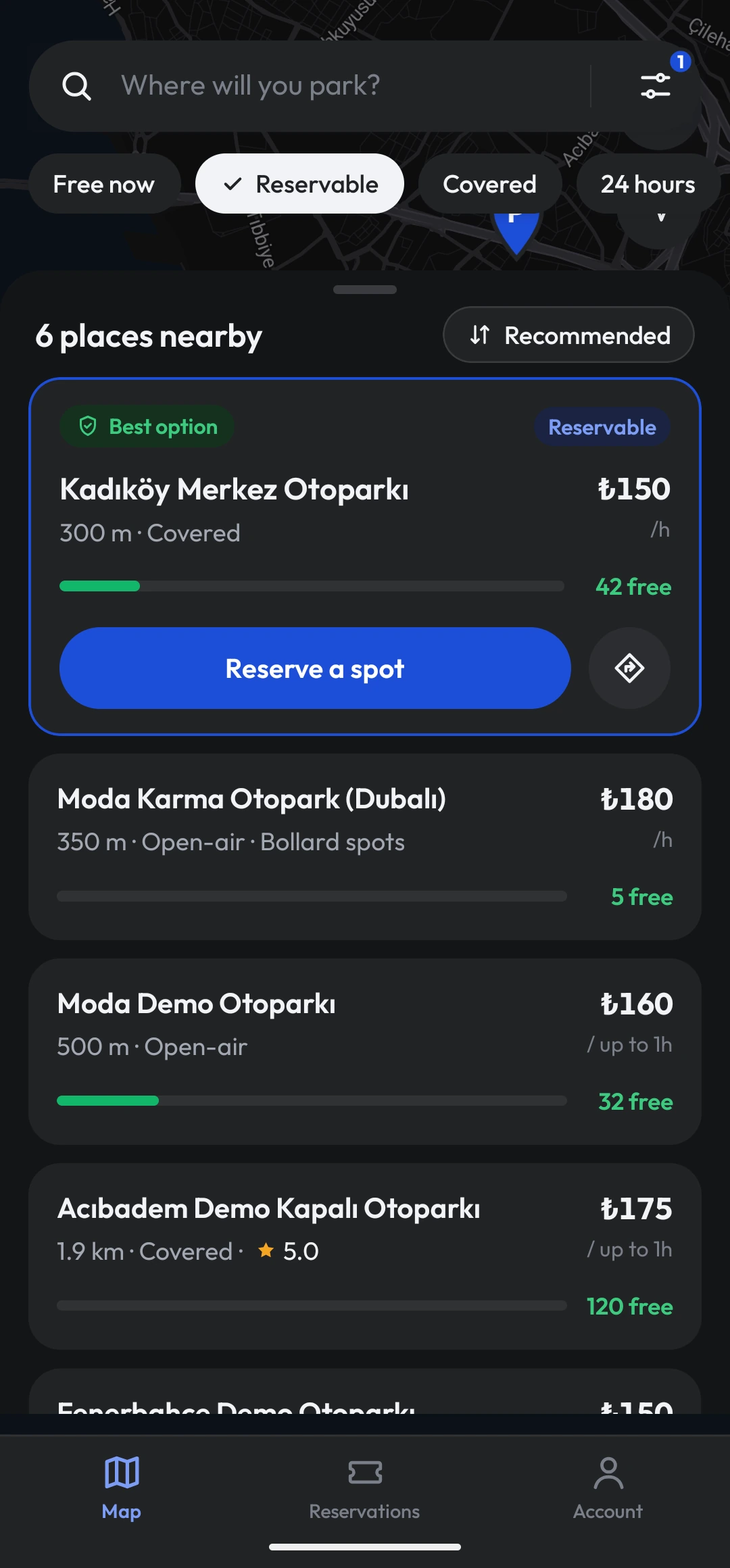
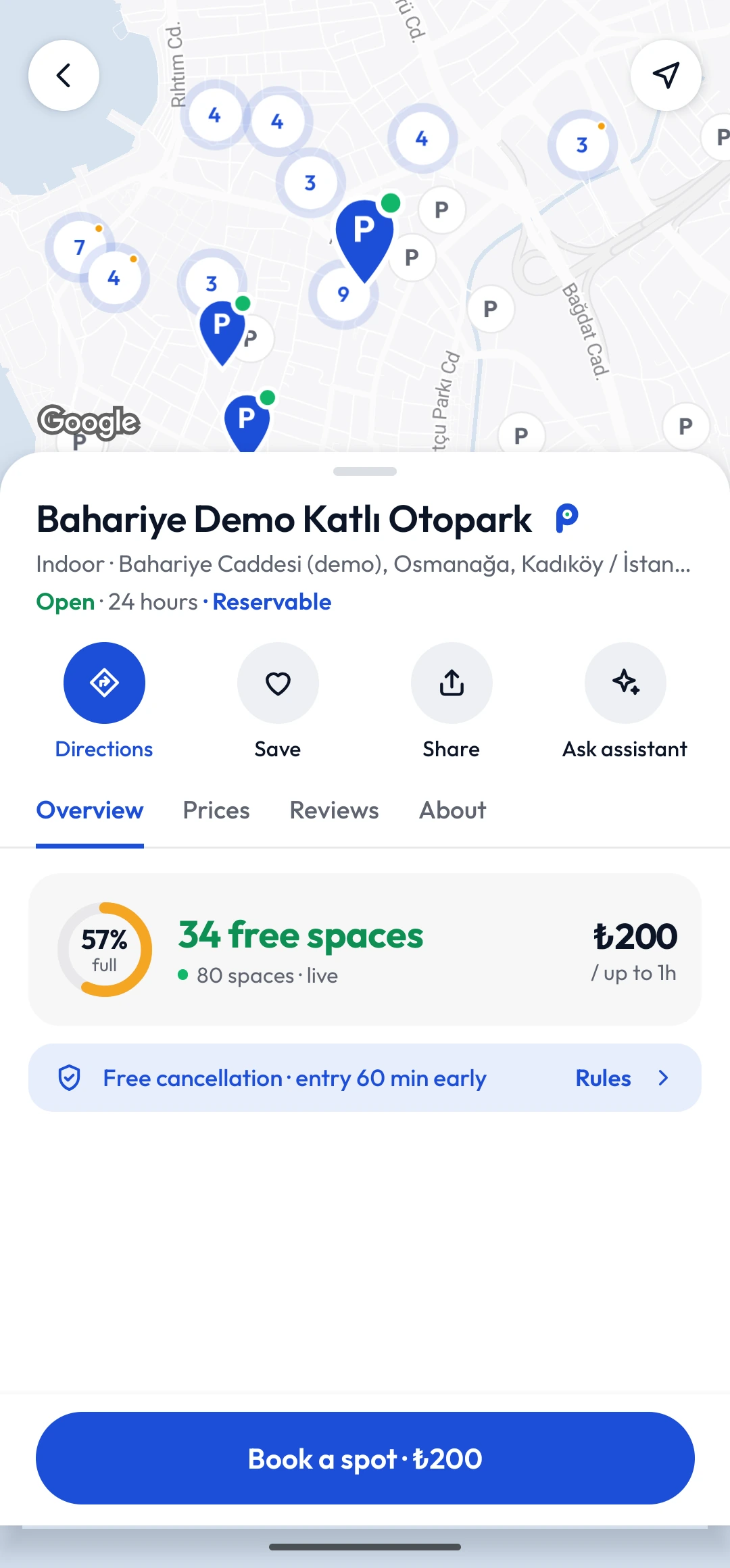
Nearby car parks on the map, with occupancy and price. Narrow them down with “Free now”, “Reservable” or “Covered”; the list is sorted by what matters to you.
Driver03 / 08
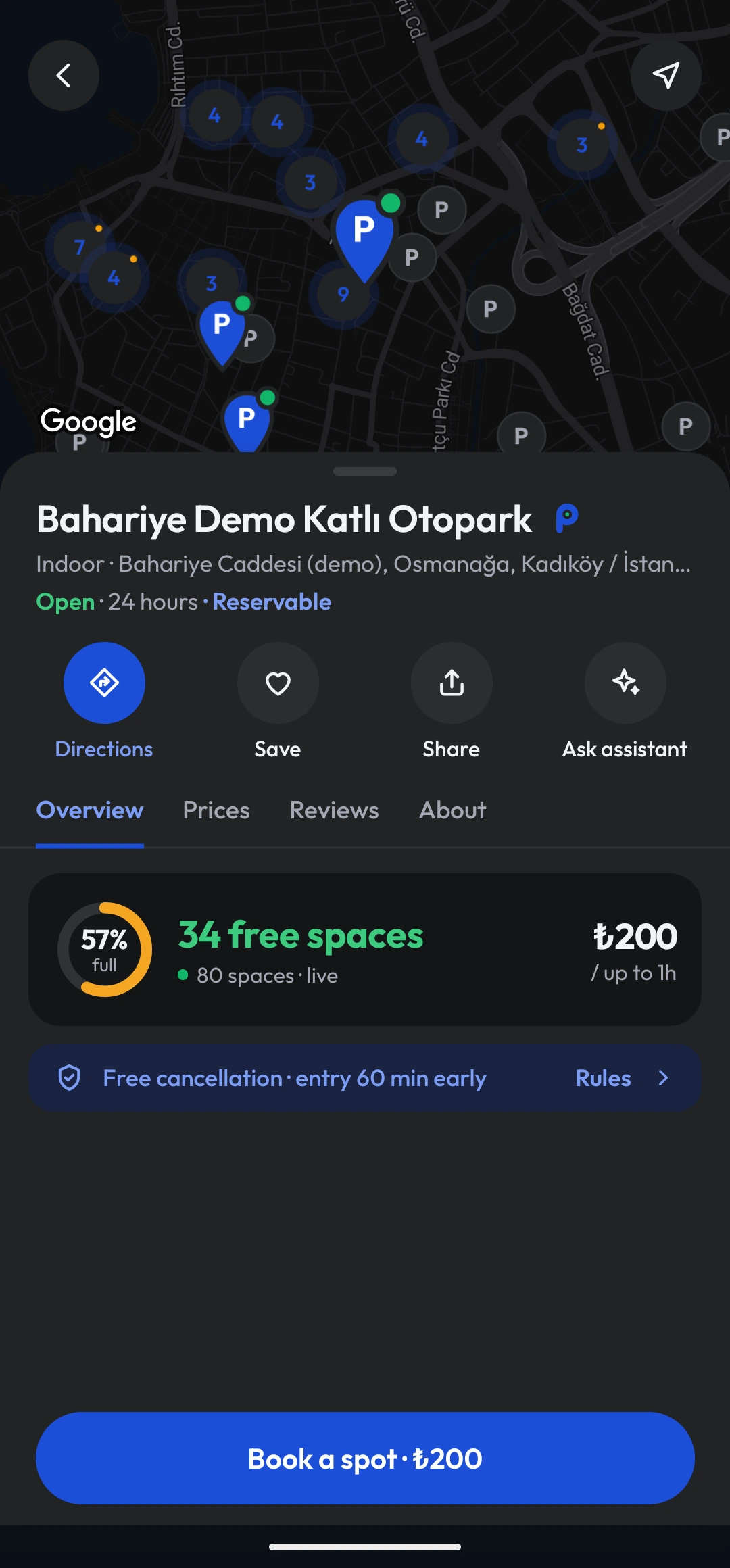
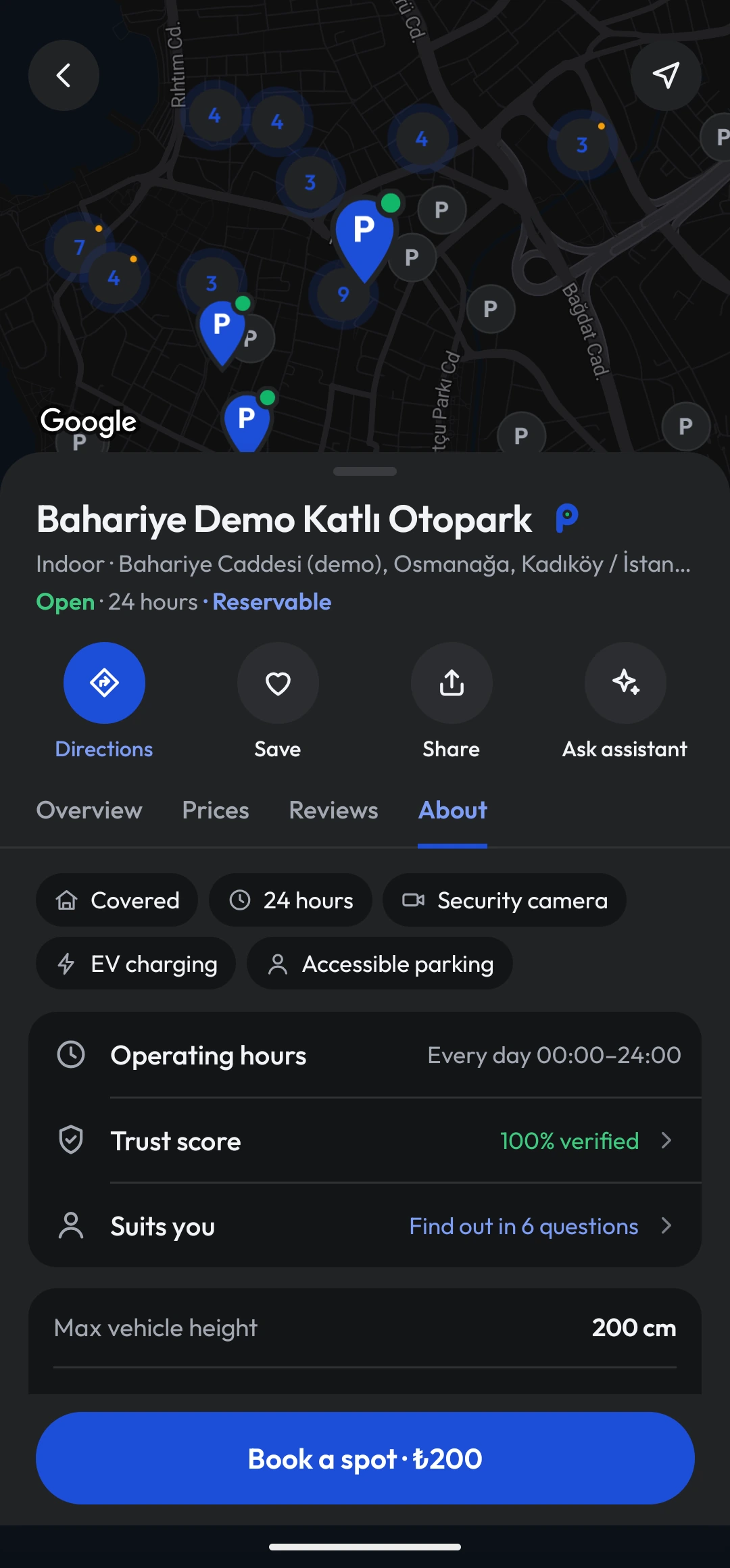
Occupancy, tariff and facility details sit in separate tabs on the detail screen.
How full the car park is, how many spots are free and the hourly rate, on one line. Free cancellation and early check-in terms sit right below — no surprises.
Driver04 / 08
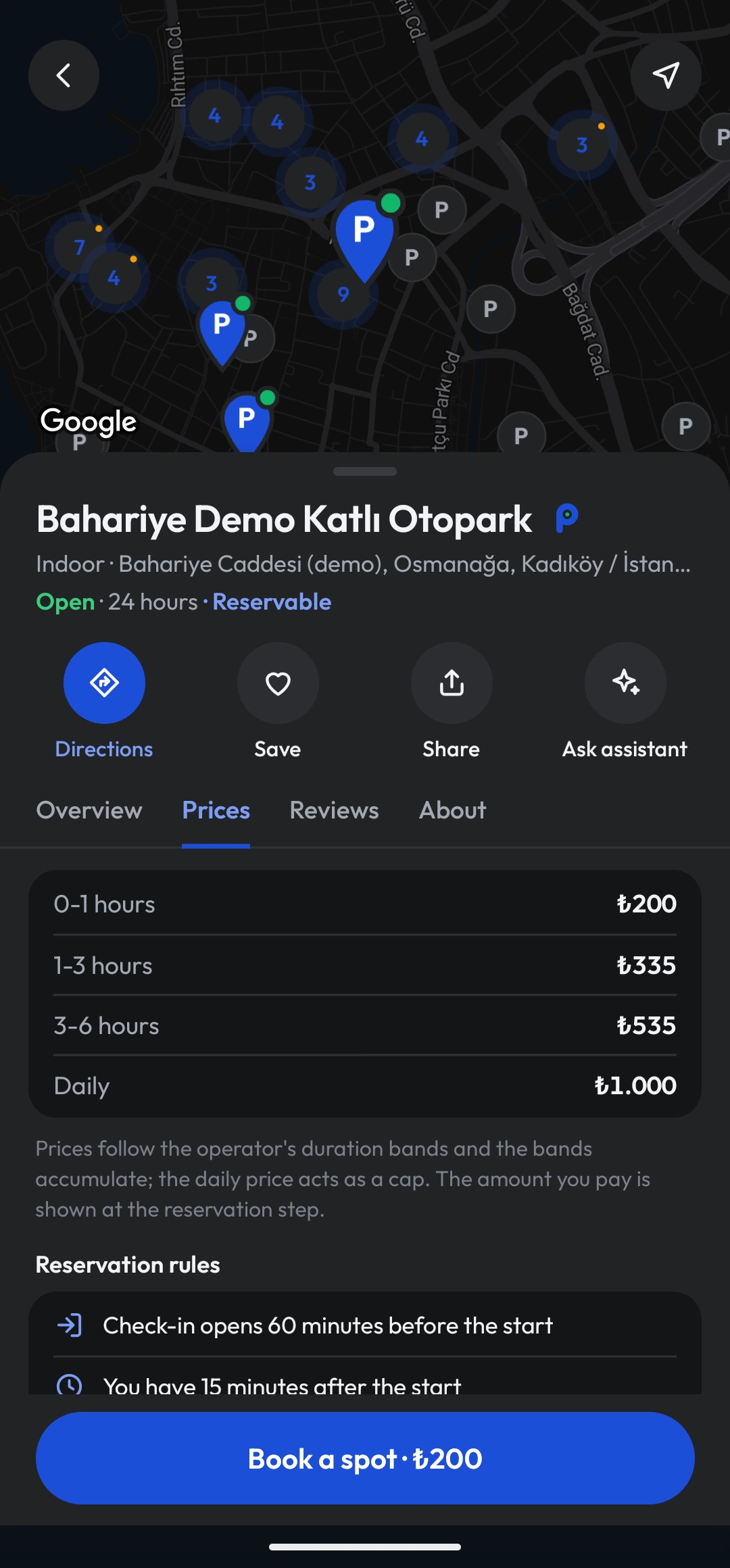
Price steps and booking rules are clear from the start. The daily rate is the most you'll pay in a day; you see exactly what you'll pay at the booking step.
Driver05 / 08
Covered parking, security cameras, EV charging, accessibility, opening hours and vehicle height limit in one list. The confidence score tells you how current and verified this information is, so you don't drive there for nothing.
Driver06 / 08
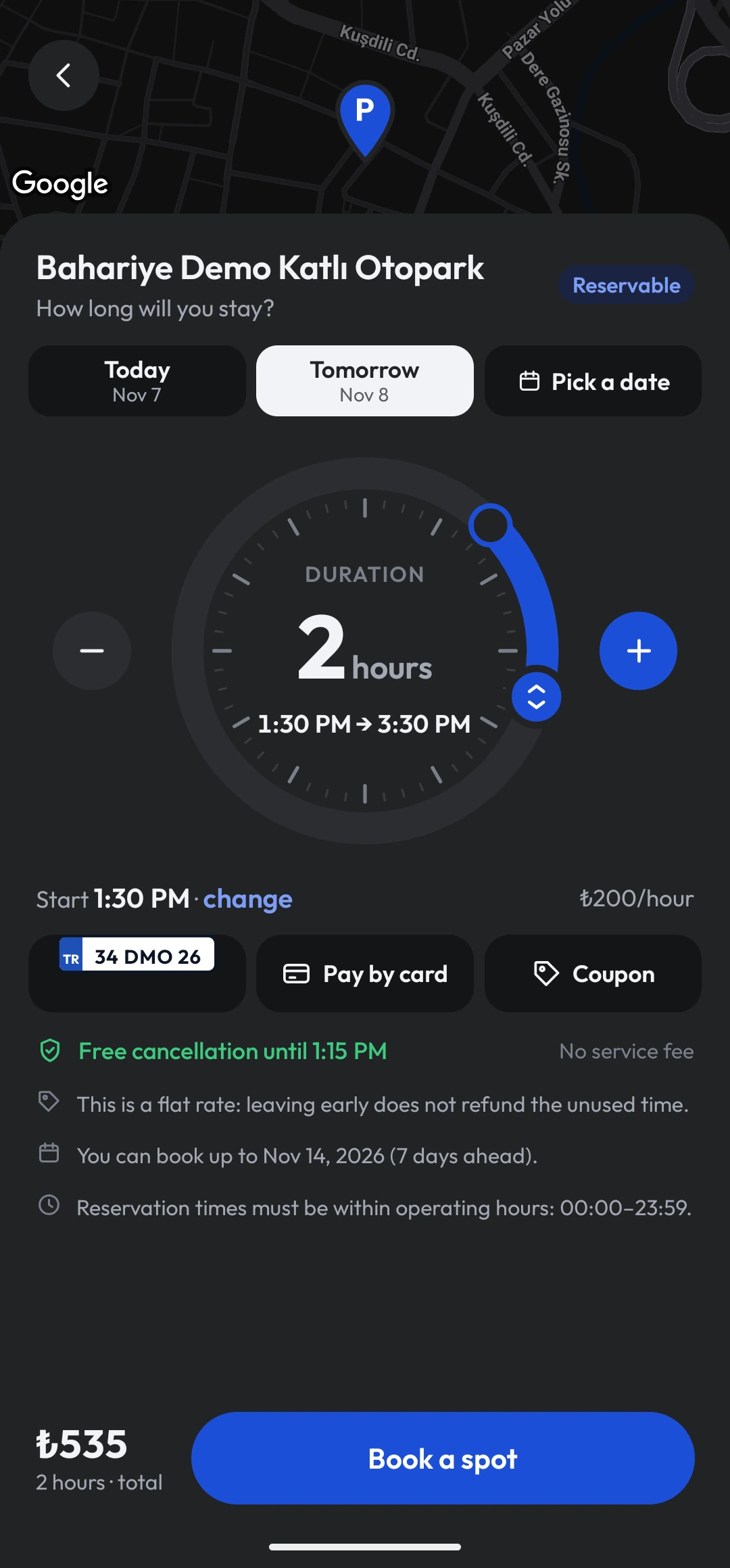
Pick how long you'll stay with the dial, then confirm your vehicle and payment. You see the total and the free-cancellation window before you tap “Book a spot”. No hidden fees.
Driver07 / 08
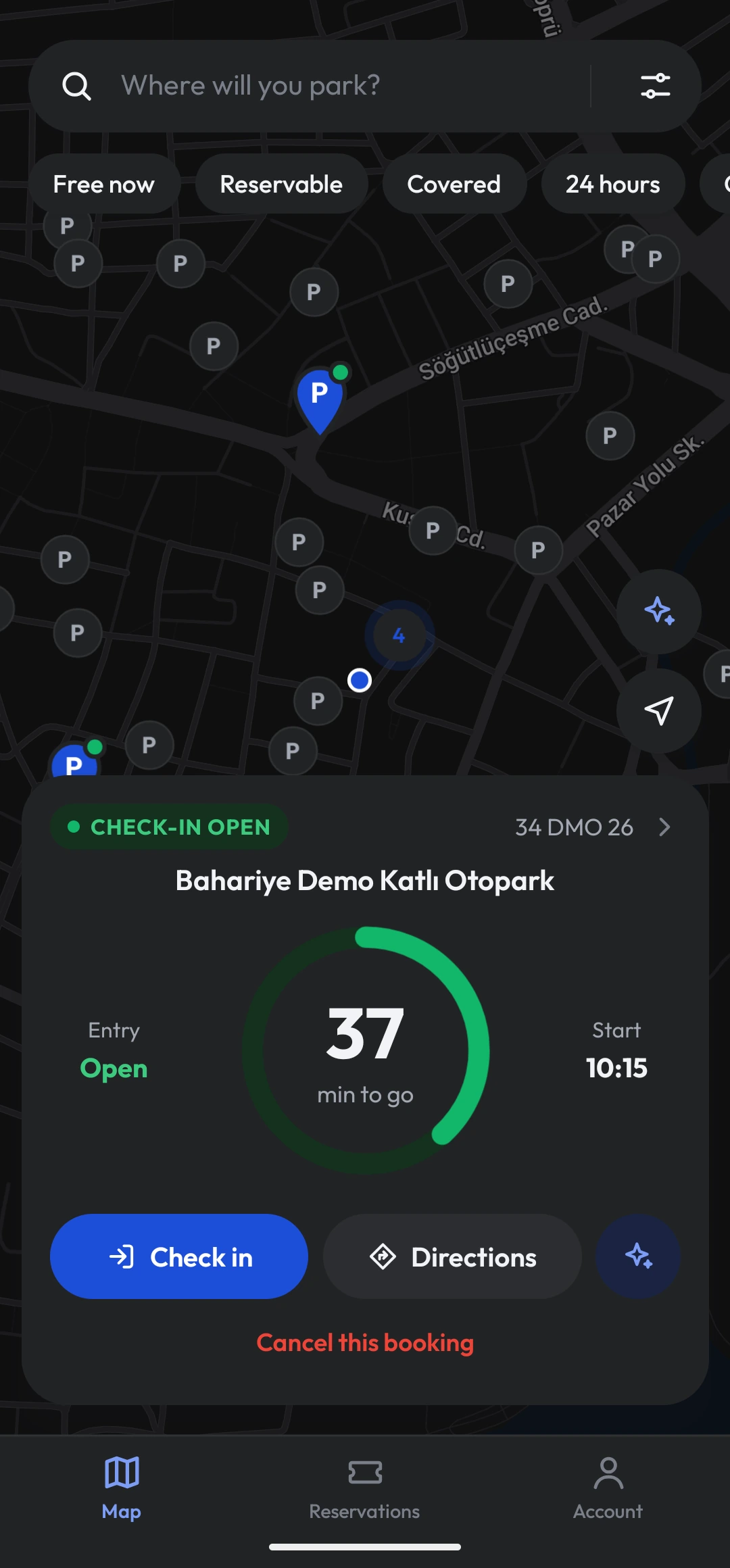
When your check-in window opens, a card appears on the map and counts down to the start. You open directions from the same card, so you don't miss the time.
Driver08 / 08
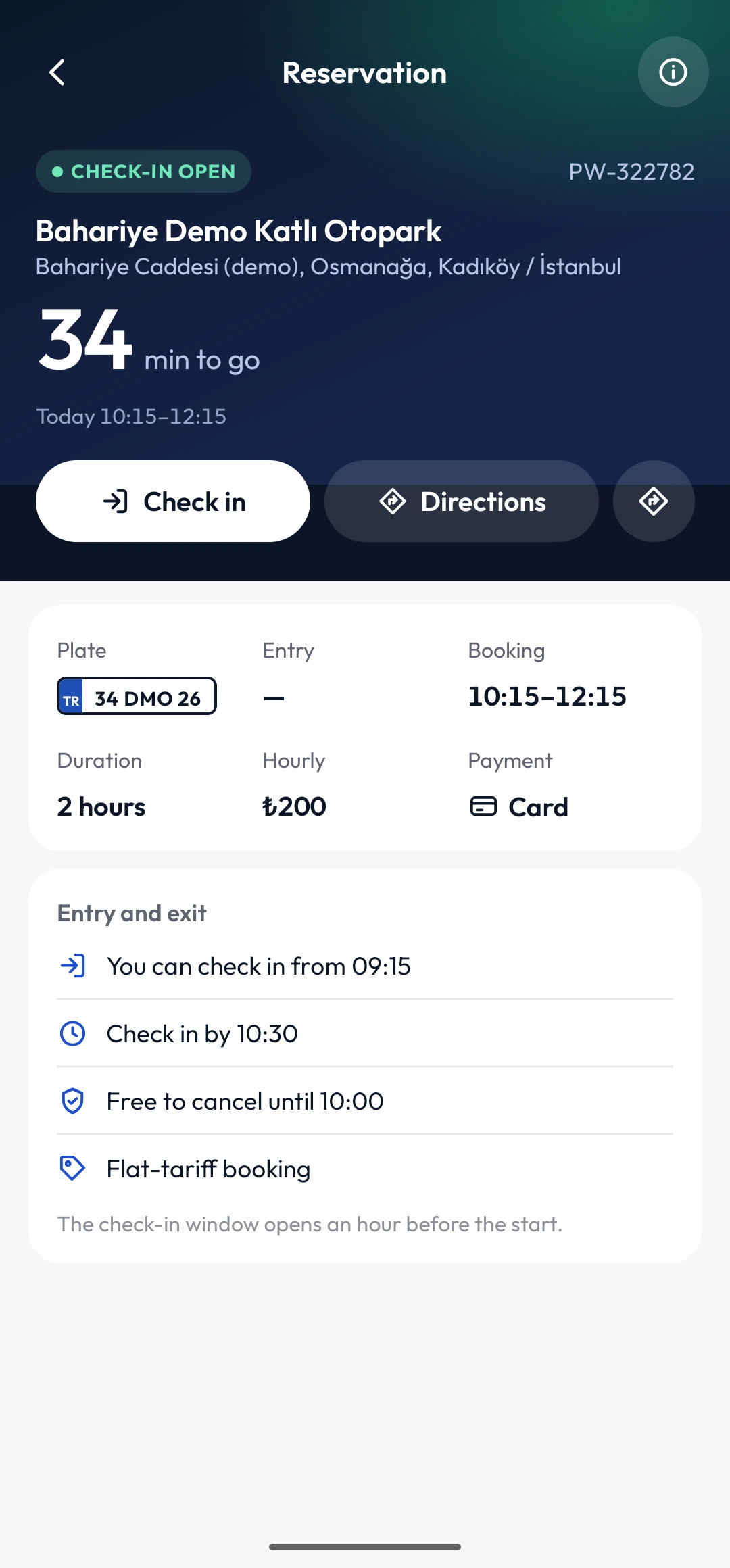
Just tap “Check in”. Plate, times, payment and entry-exit rules on one screen; the earliest and latest check-in and the free-cancellation deadline are spelled out. Upcoming and past bookings live together under Reservations.
Reservations and physical entry-exit work only at supported sites.
Field staff01 / 02
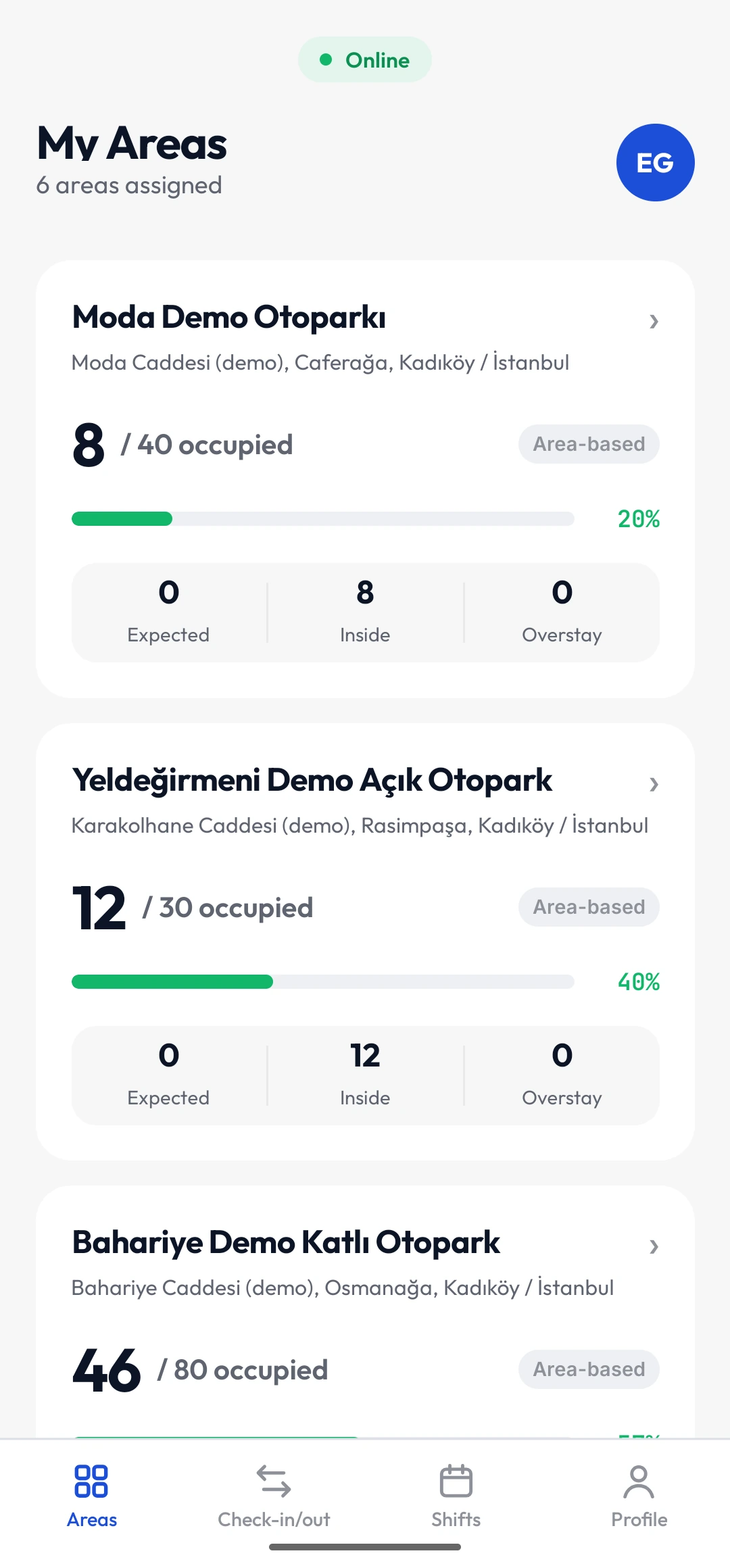
Attendants see the areas assigned to them and each one's live occupancy. Expected, inside and overstaying vehicles are counted per area; the connection status is always at the top of the screen.
Field staff02 / 02
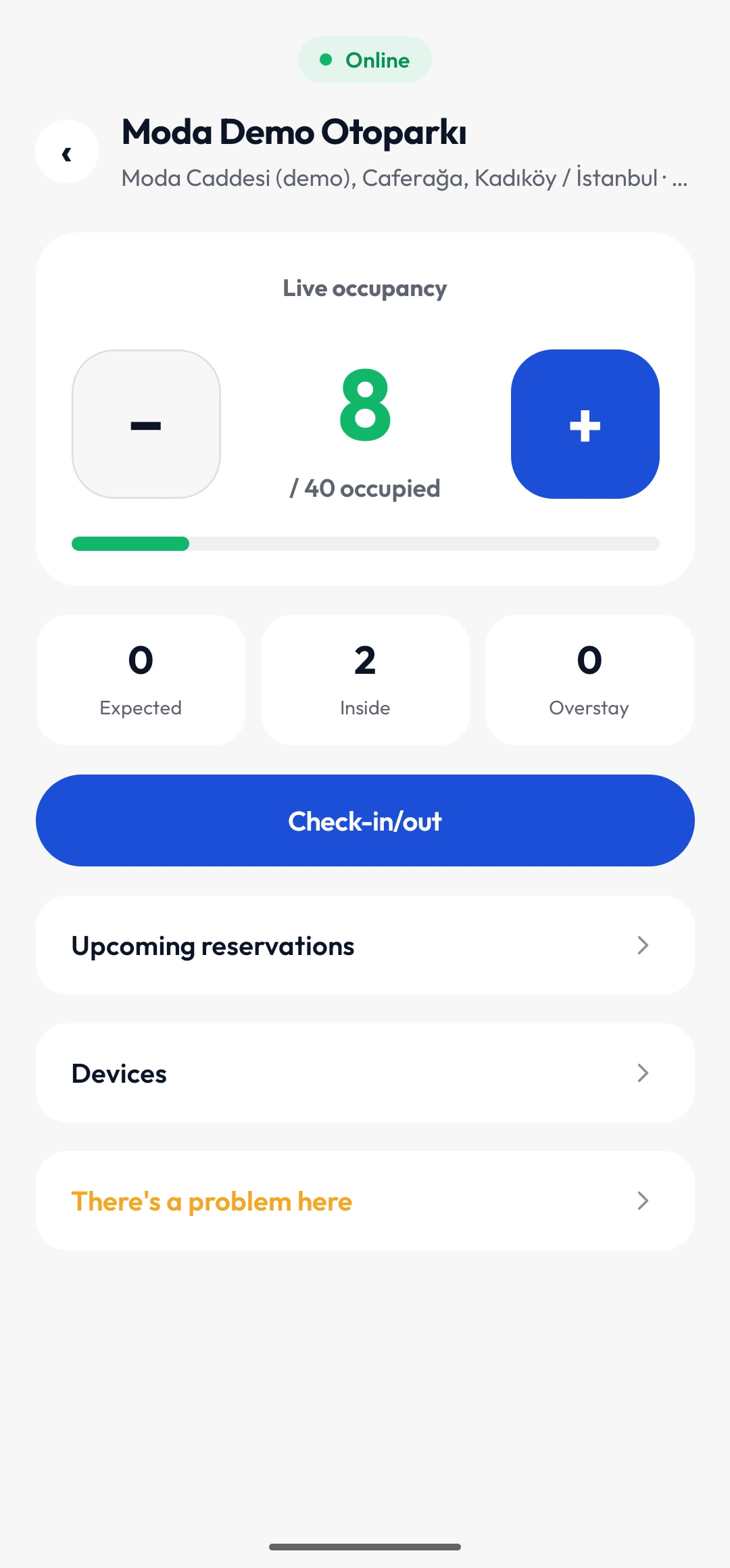
Tap plus when a vehicle enters and minus when it leaves; occupancy updates instantly. If the connection drops, the action is kept on the phone and sent automatically once back online. No count is lost.
Operator01 / 03
Areas, capacity, tariffs, reservations and occupancy in one panel.
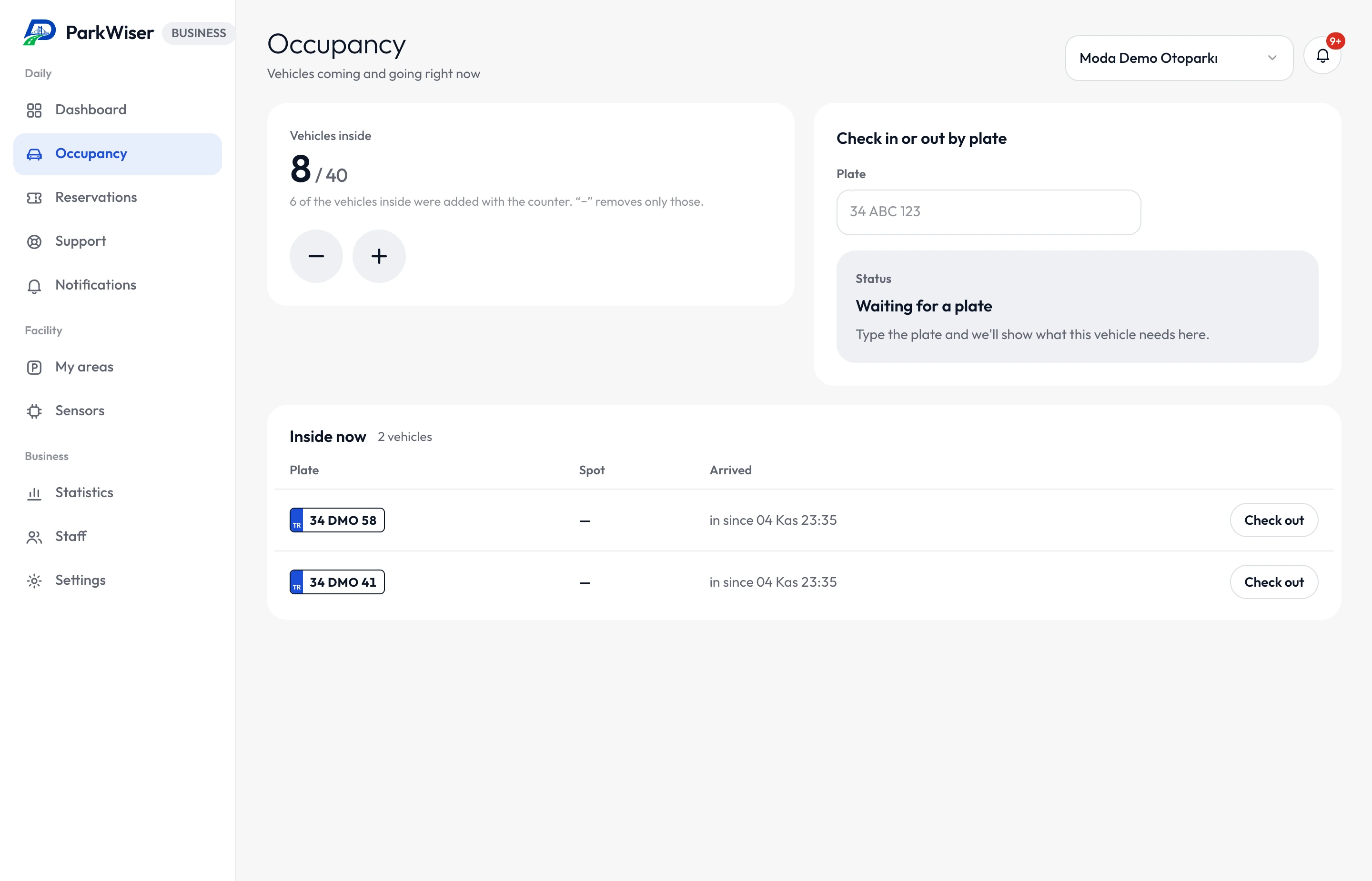
On the Occupancy page you see how many vehicles are inside and check vehicles in or out by typing the plate. Vehicles counted by field staff flow into the same number; the “Inside now” list shows who came in and when.
Operator02 / 03
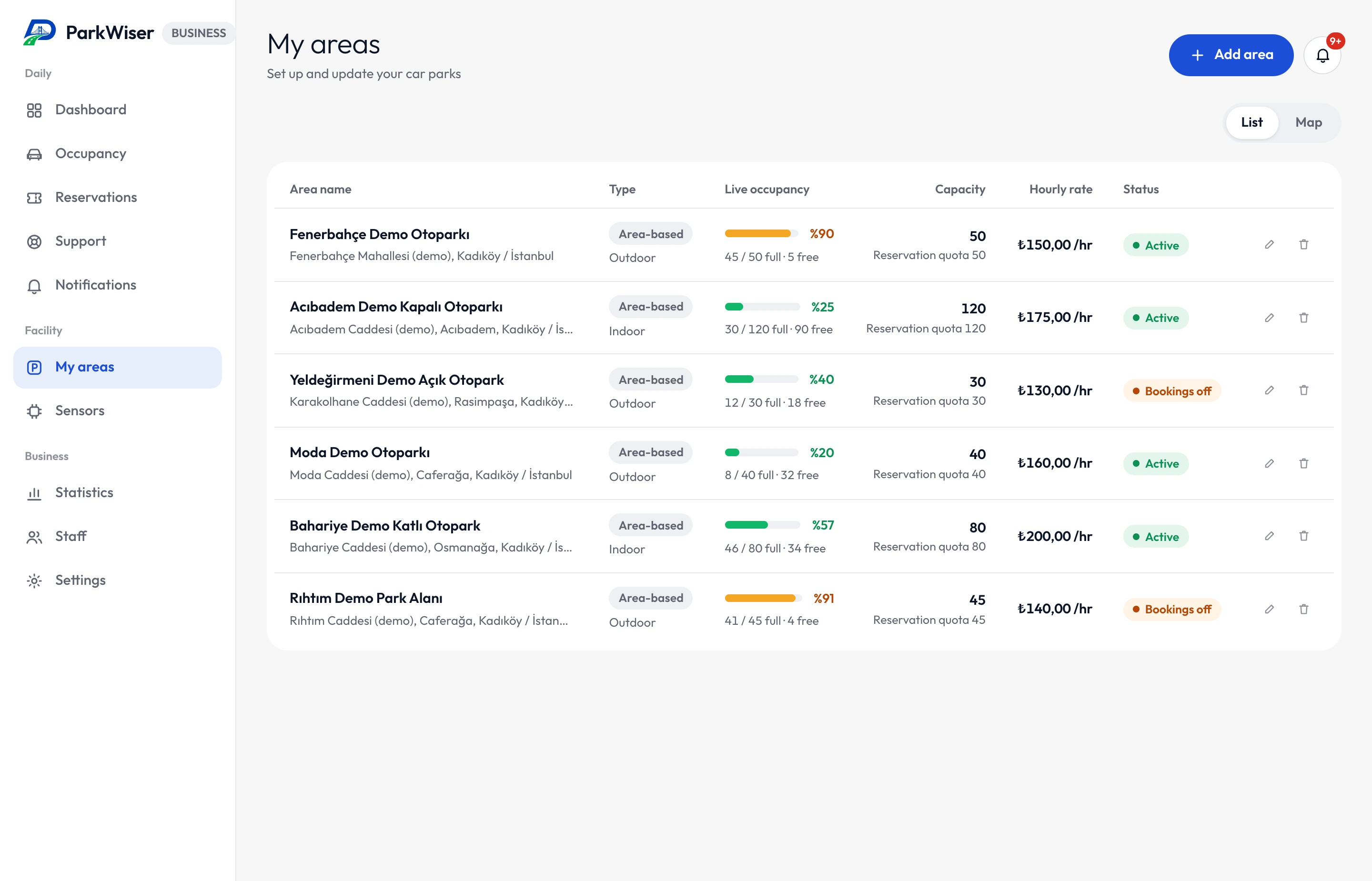
Each area's type, live occupancy, capacity, reservation quota, price and status side by side. You change capacity, tariff and opening hours here; changes in the panel reach the detail drivers see at the same moment.
Operator03 / 03
ParkWiser reads occupancy live from sensors; entries and exits recorded by plate by field staff and operators flow into the same count. Sensor connection status is visible in the panel. For systems such as barriers or automatic plate recognition, we plan the integration scope together around your site.
Which systems are connected depends on the site's infrastructure and integration scope. The barrier and sensors in the scene are illustrative.
Let's define your areas, capacity and field team together, and set the integration scope around your car park's infrastructure.
Below: three roles, indicators, where it helps, driver plans and FAQ.
One platform, three roles
Drivers use the mobile app and the web; field staff sign in to the same mobile app and get their own screens; parking operators manage everything from the web panel. All of them see the same occupancy and reservation data.
Mobile app and web
Mobile app
Web panel
Indicators
The indicators in ParkWiser answer different questions, and we keep them separate so they aren't confused.
01
How well does this car park fit what I need?
How closely a car park matches your request, based on distance, price, walking time and your saved preferences.
It is not a verdict on the car park's quality or safety.
02
How reliable is the information about this car park?
Reflects the source and freshness of price, opening-hours and capacity data: operator or integration data, official lists, or estimates.
It doesn't measure the car park's physical security.
03
What does the car park offer?
Features such as covered parking, cameras or charging points are shown only as reported by the source.
ParkWiser does not guarantee physical security.
Where it helps
ParkWiser focuses on the sites where visitors lose the most time at peak hours.
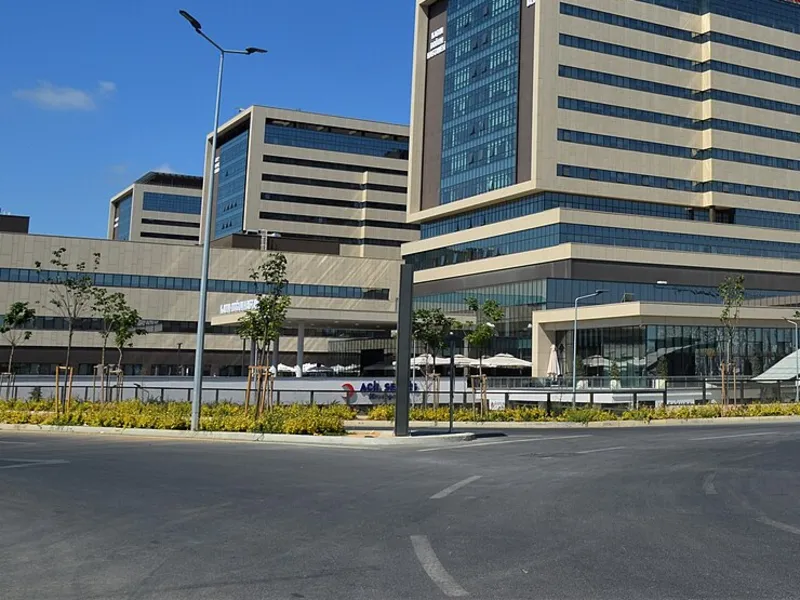
The nearest suitable spot for patients and visitors.
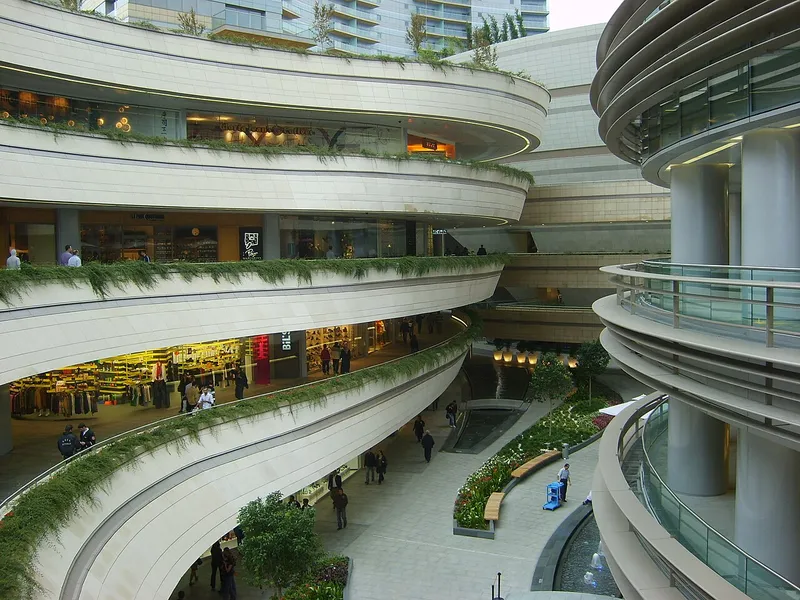
Direct guidance instead of circling floor after floor at weekends.
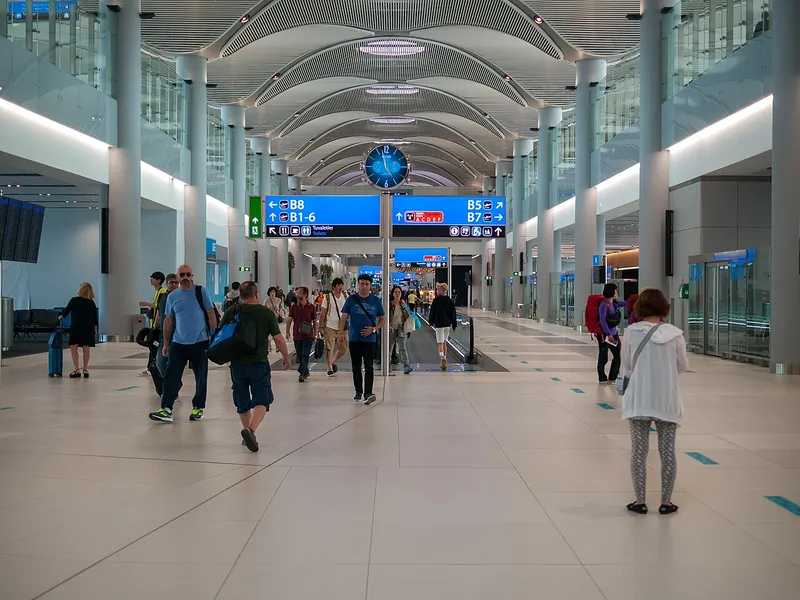
Compare short- and long-stay options in advance.

Student, staff and visitor parking by campus entrance.
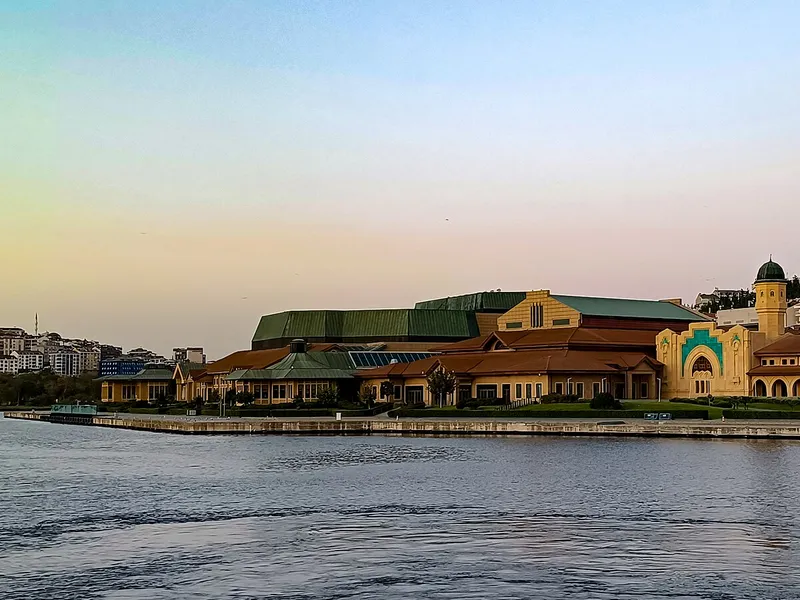
Plan around event times and reserve where supported.
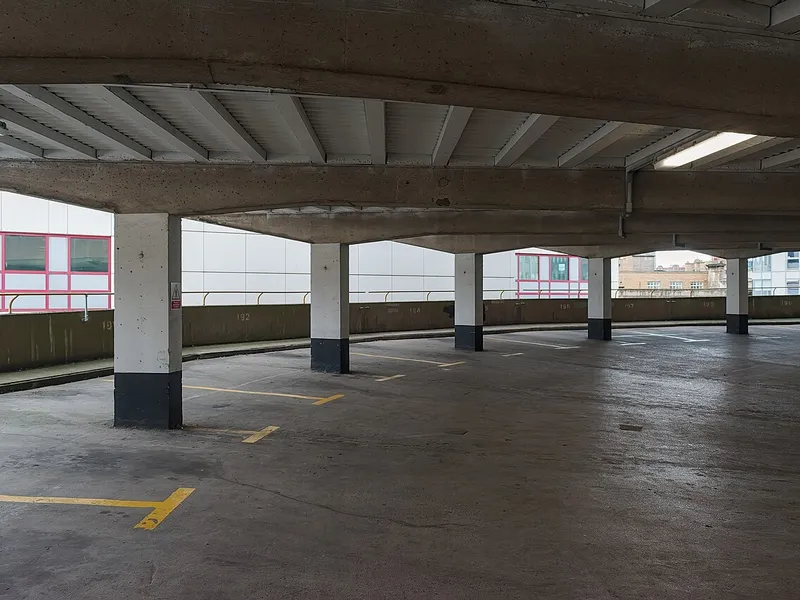
Management by area and capacity, live occupancy for drivers.
Photos show types of venues; they do not imply that ParkWiser is used at these sites.
Driver plans
Every plan has the same smart-parking features; plans differ by their monthly queries. Paid plans don't auto-renew — add another month whenever you like.
0 TL
Get to know ParkWiser and your first recommendations.
Purchased and used in the mobile app
99 TL/ month
1.98 TL / query
For drivers who look for parking now and then.
Purchased and used in the mobile app
Best value
179 TL/ month
1.79 TL / query
The economical choice for frequent drivers.
Purchased and used in the mobile app
Top-up query packs
When your monthly queries run out, continue with a one-off pack. Top-up packs never auto-renew and never expire.
Each message you type to the assistant counts as one query. Free-plan queries renew on the 1st of every month. Paid plans last one month and do not auto-renew; you are never charged without your approval. Top-up queries never expire and are used once your plan queries run out. Parking fees are not included in plans or packs; reservation and data coverage vary by car park.
FAQ
If your question isn't here, write to us.
ParkWiser considers where a driver is going and their priorities — distance, price, parking duration and more — and presents suitable parking options side by side. For operators, it provides area and reservation management.
No. Reservations are only available at car parks integrated with ParkWiser that support reservations. For other car parks, ParkWiser provides information and directions.
Quality depends on the source: data entered by the operator or received through integration, official lists, or estimates. ParkWiser shows a confidence score for each car park to make this visible; live occupancy is only offered at integrated sites.
The free plan gives you 5 queries a month. For more there are two monthly plans: Standard (50 queries a month, 99 TL) and Advantage (100 queries a month, 179 TL); paid plans don't auto-renew — you extend them when you want. When you run out you can buy a one-off top-up pack of 10, 20 or 30 queries that never expires. Each message you type to the assistant counts as one query. Purchases are made in the mobile app.
No. Attendants sign in to the same mobile app as drivers, in their own role; they see their assigned areas and count entries and exits. If the connection drops, actions are kept on the phone and sent once back online.
We define your areas, capacity and field team together; the web panel and the attendant screen start working from there. During the pilot we set the scope for sensors and other on-site systems together, based on your car park's infrastructure.
Write to us for a ParkWiser demo, a car park pilot or a technical partnership.